
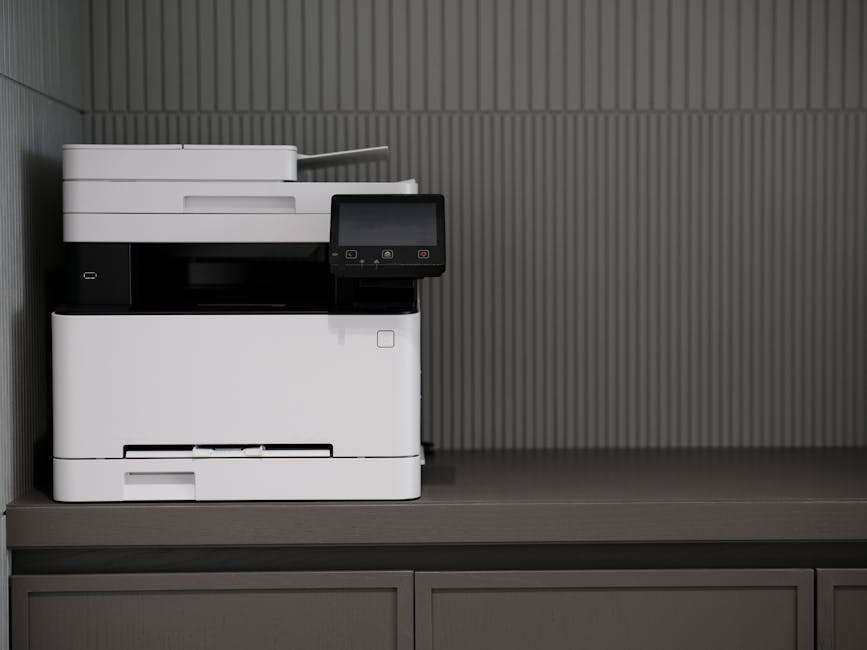
A multifunction device — the all-in-one printer, copier, scanner, and fax machine sitting in your office — is one of the most overlooked security vulnerabilities in small business IT. Proper multifunction device management is rarely on anyone’s checklist, yet according to the Ponemon Institute’s 2023 State of Cybersecurity and the Multifunction Printer report, 68% of organizations experienced data losses due to insecure printing practices. Your MFD is a networked computer. It stores data, connects to your Microsoft 365 environment, and, if left unmanaged, gives attackers a quiet entry point into your business. Netsafe Solutions helps Charlotte businesses lock down every device on their network through consistent multifunction device management, including the ones most IT providers ignore.
What Is a Multifunction Device and Why Does It Matter for Your Business?
A multifunction device (MFD) is a single piece of office hardware that combines printing, copying, scanning, and often faxing into one networked unit. Most businesses have at least one. Many have several — in different departments, on different floors, sometimes in different offices across the Charlotte metro.
What makes an MFD different from a standalone printer is the intelligence inside it. Modern MFDs run embedded operating systems, store documents in internal memory or hard drives, connect directly to your network, and communicate with cloud services. That means they behave less like a printer and more like a server — one that most businesses never patch, never monitor, and rarely think about when discussing cybersecurity.
For Charlotte businesses running Microsoft 365, MFDs often integrate directly with SharePoint, OneDrive, or Exchange to enable scan-to-email and scan-to-folder workflows. That integration is convenient. It also means a misconfigured or compromised MFD has a direct path into your Microsoft 365 environment — and into every document and email stored there.
If your managed IT strategy covers laptops, servers, and mobile devices but stops short of your MFDs, you have a gap. A significant one.
What Security Risks Do Multifunction Devices Create?

Multifunction devices create four distinct categories of security risk that Charlotte businesses need to understand: data retention, network exposure, credential abuse, and firmware vulnerabilities.
Data Stored on MFD Hard Drives
Every document your MFD processes — printed, copied, scanned, or faxed — may be stored on an internal hard drive. When that device is returned to a leasing company, resold, or discarded, that data goes with it unless it’s been deliberately wiped. According to a study published by MIT Technology Review, researchers who purchased used copiers found tens of thousands of sensitive documents stored on their hard drives, including patient records, financial documents, and legal contracts. Most businesses that leased the devices had no idea the data was still there. This is exactly why multifunction device management must include a documented end-of-life data wiping procedure.
Network Segmentation and Lateral Movement
MFDs sitting on your primary business network — alongside workstations, servers, and cloud-connected systems — give attackers a potential pivot point. If a threat actor compromises your MFD through a known firmware vulnerability, they can use it to probe other devices on the same network. This is called lateral movement, and it’s one of the primary techniques tracked by managed detection and response platforms like Black Point Cyber SOC. Sound multifunction device management addresses this directly by placing MFDs on a segmented VLAN and monitoring them for unusual outbound traffic. Most businesses skip both steps entirely.
Weak or Default Credentials
MFDs ship with default administrator passwords. Most businesses never change them. A device with default credentials and an internet-accessible management port is trivially compromised. Attackers actively scan for exposed MFD management interfaces — it’s a known attack vector that requires almost no sophistication to exploit.
Firmware That Never Gets Patched
MFD manufacturers release firmware updates regularly to patch vulnerabilities. But unlike workstations managed through NinjaOne RMM — where patches are deployed automatically and tracked centrally — MFD firmware is almost never updated unless someone explicitly manages it. Devices sit for years on outdated firmware, exposed to vulnerabilities that have been publicly documented and actively exploited.
How Should Multifunction Devices Be Managed in a Business Environment?
Proper multifunction device management covers six areas: network placement, credential hygiene, firmware maintenance, data retention controls, integration security, and end-of-life procedures. Getting multifunction device management right across all six reduces your attack surface and satisfies most security auditors who ask about endpoint coverage.
Network Placement and Segmentation
Sound multifunction device management starts with network placement. MFDs should be placed on a dedicated VLAN, isolated from your primary workstation and server network. This limits the blast radius if a device is compromised. An attacker can’t use it to reach your file server, domain controller, or Microsoft 365-connected endpoints. Netsafe Solutions configures network segmentation as part of every managed IT engagement for Charlotte businesses.
Credential Hygiene
Every MFD should have its default administrator credentials changed before it’s connected to your network. Credentials should follow the same complexity and rotation standards as any other network device. Access to the management interface should be restricted by IP address where possible.
Firmware and Patch Management
Firmware updates should be reviewed and applied on a regular schedule — at minimum quarterly. This is separate from the automated patch management NinjaOne RMM handles for workstations and servers. MFD firmware requires a manual process or a dedicated print management platform, and it needs to be owned by someone. In most Charlotte businesses, it isn’t owned by anyone.
Data Retention and Hard Drive Encryption
Enable hard drive encryption on every MFD that supports it. Configure automatic data overwrite so processed jobs aren’t retained in memory beyond their immediate use. Document this configuration so it can be verified at lease return or device retirement. If your MFD doesn’t support these features, that should be a factor in your next hardware decision.
Microsoft 365 Integration Security
If your MFD connects to Microsoft 365 for scan-to-email or scan-to-folder functions, that integration should use a dedicated service account managed through Microsoft Entra ID — not an individual user’s credentials. The account should have minimum necessary permissions, be monitored for unusual activity, and be audited as part of your broader cybersecurity services posture review.
End-of-Life and Device Disposal
Before any MFD leaves your environment — whether it’s returned to a leasing company, sold, or recycled — perform a factory reset and verify that the hard drive has been wiped or physically destroyed. Document this as part of your asset disposal process. This applies to leased devices too. The leasing company is not responsible for your data.
What Does Multifunction Device Management Cost in Charlotte, NC?
Multifunction device management isn’t a standalone service with a single price. It’s a component of a properly structured managed IT engagement, and the cost of multifunction device management scales with how many devices you have and how complex your network is. Here’s how the cost breaks down.
Netsafe Solutions prices every engagement as separate, itemized line items. The per-device monthly support fee covers unlimited remote help desk during business hours — that’s it. Security and management tools are priced separately, month-to-month, based on what your business actually needs.
For MFD management specifically, the relevant cost components are:
- Network infrastructure work — configuring VLANs, segmenting MFDs from the primary network, and verifying firewall rules. This is typically scoped as a project, quoted in writing before any work begins.
- NinjaOne RMM — priced separately per environment. Handles patch management for workstations and servers; MFD firmware management is addressed through the device’s native toolset or a dedicated print management platform depending on your environment.
- Microsoft Entra ID configuration — setting up and managing the dedicated service accounts MFDs use to connect to Microsoft 365. Covered under Netsafe’s Microsoft 365 management work.
- Security gap analysis — if you’re not sure where your MFDs stand today, a security gap analysis is the right starting point. It maps every device and integration against your current security controls and identifies what needs to be addressed.
For context: hiring a single in-house IT employee in Charlotte costs $65,000–$95,000 per year in salary alone — before benefits, training, and turnover. Netsafe’s itemized model covers your entire IT environment, including MFD management, for a fraction of that cost. Most businesses tell us our rate came in lower than other quotes they received.
Contact Netsafe Solutions for a custom quote tailored to your environment and device count.
Why Most Charlotte Businesses Overlook MFD Security (And How to Fix It)
The reason multifunction device security gets skipped is simple: MFDs don’t feel like IT. They feel like office equipment — like a coffee maker or a phone system. You plug them in, they work, and nobody thinks about them again until something breaks.
That perception is exactly why attackers target them. An unmanaged MFD on a flat network, running three-year-old firmware, connected to Microsoft 365 via a shared admin account — that’s not a coffee maker. That’s a vulnerability.
The businesses most at risk are the ones that have grown quickly. A 15-person company in South End or a 40-person firm in Ballantyne Corporate Park both went through a phase where someone bought a multifunction printer, connected it to the network, and moved on. Multifunction device management never made it onto anyone’s to-do list. Nobody ever came back to assess whether the device was configured securely. Nobody ever updated the firmware. Nobody ever asked whether it was integrated with Microsoft 365 in a way that followed least-privilege principles. Without a defined multifunction device management process, those gaps stay open indefinitely.
The fix isn’t complicated. It starts with knowing what you have. A network assessment will surface every device on your network — including the MFDs you may have forgotten about — and give you a clear picture of what’s configured correctly and what isn’t.
From there, Netsafe Solutions works through multifunction device management remediation systematically: segmentation, credentials, firmware, integration hygiene, and disposal procedures. It’s not a dramatic project. It’s methodical IT work that most Charlotte businesses simply haven’t had anyone do for them yet.
This is also where the value of co-managed IT services becomes clear. If you have an internal IT person who handles day-to-day support but doesn’t have the bandwidth or expertise to own multifunction device management systematically, Netsafe can layer in to cover exactly that gap without replacing your existing team.
Key Statistics — Multifunction Device and Print Security
- 68% of organizations experienced data losses due to insecure printing practices (Ponemon Institute, 2023 State of Cybersecurity and the Multifunction Printer)
- 60% of businesses reported a print-related data breach in the past year (Quocirca Global Print Security Report, 2023)
- The average cost of a data breach reached $4.88 million in 2024 (IBM Cost of a Data Breach Report, 2024)
- Only 18% of IT decision-makers include printers and MFDs in their formal security policies (Quocirca Global Print Security Report, 2023)
- 74% of cyberattacks involve the human element — including misconfigured devices and weak credentials (Verizon 2025 Data Breach Investigations Report)
Frequently Asked Questions — Multifunction Device Management Charlotte
Does my multifunction device need to be on its own network segment?
Yes — MFDs should be placed on a dedicated VLAN, separated from your workstations and servers. Because MFDs run embedded operating systems and often have outdated firmware, placing them on your primary network creates unnecessary lateral movement risk. Network segmentation limits the blast radius of a compromised device and is a standard part of a properly structured managed IT environment.
Can a multifunction device be used to access my Microsoft 365 data?
It can — and that’s the risk. MFDs that connect to Microsoft 365 for scan-to-email or scan-to-folder functions use credentials stored inside the device. If those credentials aren’t properly managed through Microsoft Entra ID with least-privilege permissions, a compromised MFD could be used to access or exfiltrate data from your Microsoft 365 environment. This is a core concern in any serious multifunction device management program. Netsafe Solutions configures dedicated, minimum-permission service accounts for all MFD integrations to close that exposure.
What happens to the data on my MFD when I return it to the leasing company?
If you don’t wipe it, that data goes with the device. Modern MFDs store processed documents on internal hard drives, and leasing companies don’t routinely sanitize drives between customers. Before any MFD leaves your environment, perform a factory reset and verify the hard drive has been wiped or physically destroyed. Document the process. This is your responsibility — not the leasing company’s.
How often should multifunction device firmware be updated?
At minimum quarterly, and immediately when a critical vulnerability is disclosed for your device model. Multifunction device management means owning this firmware update schedule deliberately, unlike workstations where NinjaOne RMM handles automated patch deployment. MFD firmware requires a deliberate, manual process. Most Charlotte businesses have never updated their MFD firmware at all. That’s a significant exposure given that firmware vulnerabilities are actively exploited in the wild. A structured multifunction device management plan puts that update cycle on a defined schedule so nothing gets overlooked.
Do I need a managed IT provider to handle MFD security, or can I do it myself?
You can handle basic steps, including changing default credentials, enabling hard drive encryption, and scheduling firmware updates, without an outside provider. But the network segmentation work, Microsoft 365 integration hygiene, and ongoing monitoring that multifunction device management requires are harder to do correctly without dedicated expertise and tooling. If your business has more than five devices or has integrated MFDs with Microsoft 365, working with a managed IT provider like Netsafe Solutions ensures your multifunction device management stays current and nothing gets missed.
Ready to get a clear picture of every device on your network — including the ones you’ve been overlooking? Talk to Netsafe Solutions today.